Top VPN services for remote workers traveling abroad
Testing these tools was not just an academic exercise. I dragged my laptop through busy airports, crowded co-working spaces, and remote homestays across three different continents to see which networks actually held up under pressure. I ran daily speed tests to measure bandwidth drops, intentionally dropped my connection to see if security features engaged, and tried logging into sensitive banking portals to check for security alerts.
A reliable network tool must protect your data without slowing your workflow to a crawl. I looked closely at server distribution, security protocols, ease of use, and how well each platform bypassed regional geo-blocks. Cheap or poorly configured connections often trigger fraud warnings on client portals, which can lock you out of your work accounts for days. My testing focused on finding services that run silently in the background, keeping you secure without forcing you to constantly manage settings.
During my research, I evaluated how these tools handle high-latency connections, such as satellite internet on ferries or sluggish DSL in rural guesthouses. I made sure to test each platform across multiple operating systems, ensuring the mobile apps performed just as reliably as their desktop counterparts. The ultimate goal was to identify options that let you focus on your work instead of worrying about digital thieves.
ExpressVPN: Consistent Speed and Bulletproof Reliability
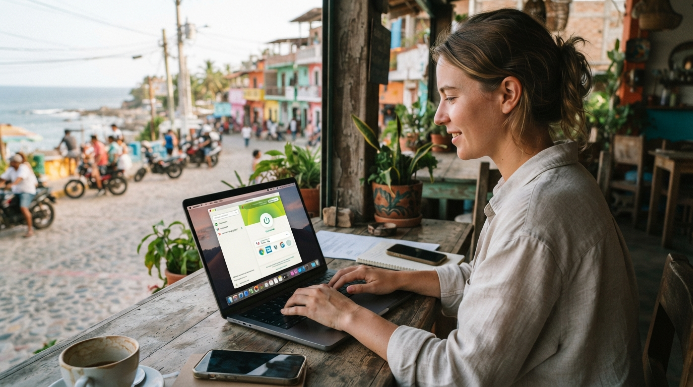
My first real test with ExpressVPN happened while working from a tiny, remote coastal town in southern Mexico. The local internet connection was notoriously unstable, yet this service consistently managed to establish a secure link within seconds. It runs on its custom-built Lightway protocol, which is designed to consume less battery power and handle connection drops much better than older protocols.
This service is best for remote workers who want a completely frictionless experience. You open the app, click a single button, and your connection is immediately encrypted. The software automatically selects the fastest server based on your current location, meaning you do not have to waste time scrolling through country lists. It reliably unblocks streaming platforms, online banking portals, and corporate intranets without triggering annoying security verification loops.
The biggest downside to this option is the premium price tag. It costs significantly more than other services on the market, which might deter budget-conscious digital nomads. Additionally, you can only connect up to eight devices simultaneously on a single subscription. While eight connections are usually plenty for a solo traveler, it can feel limiting if you travel with a large setup of laptops, tablets, and testing phones.
NordVPN: Double Encryption for High-Security Contracts
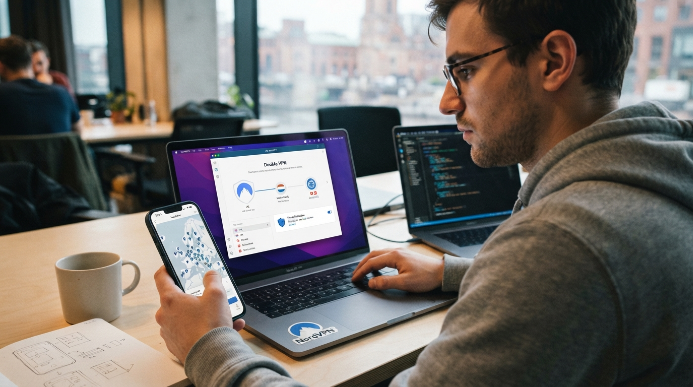
NordVPN caught my attention when I signed a contract that required strict compliance with corporate data safety standards. When looking at the top VPN services for remote workers traveling abroad, NordVPN always sits near the peak of my list because of its specialized security servers. Their standout feature is Double VPN, which routes your internet traffic through two separate physical servers instead of one, doubling the encryption layer before your data hits the open web.
This extra layer of security makes it the ideal choice for freelance developers, financial consultants, or database administrators handling proprietary client data. The desktop application also includes a highly effective threat protection feature that blocks malicious websites, trackers, and intrusive ads before they can load on your browser. I noticed a significant decrease in spam pop-ups while browsing local news sites in foreign countries with this feature turned on.
However, the mobile interface leaves a lot to be desired. The application uses a graphic map interface that is incredibly awkward to navigate on a small smartphone screen. You often end up accidentally clicking the wrong country pin when trying to zoom in, which can connect you to a server thousands of miles away. It is a minor annoyance, but it can be frustrating when you need to check a work message quickly on the go.
Surfshark: The Champion of Unlimited Device Connections
If you travel with a small mountain of hardware, Surfshark is easily the most practical option available. Most providers restrict how many devices you can connect at once, but this platform offers unlimited device connections under a single account. I was able to secure my work laptop, personal phone, tablet, e-reader, and my partner’s devices simultaneously without ever getting kicked offline.
This service is perfect for digital nomad couples, families, or power users who do not want to constantly manage which devices are currently connected. The software is lightweight and user-friendly, offering an intuitive interface that takes zero technical knowledge to operate. It also includes an ad-blocker called CleanWeb, which helps save mobile data when you are tethered to your phone in areas with poor cellular reception.
The trade-off here is connection speed consistency. While the servers are generally very fast, I experienced occasional slowdowns when connecting to servers located in smaller, more remote countries. Establishing the initial handshake can sometimes take up to ten seconds, which feels like an eternity when you are rushing to join an unscheduled Zoom meeting with a client.
Proton VPN: Swiss Privacy with a Genuine Free Plan
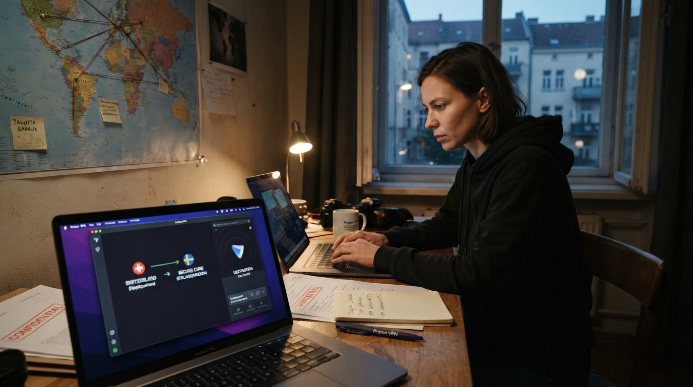
Switzerland has some of the most robust privacy laws in the world, and Proton VPN takes full advantage of them. Unlike many companies that base their operations in countries with questionable data policies, this provider operates under strict Swiss jurisdiction. Their unique Secure Core architecture routes your traffic through privacy-friendly nations like Iceland or Sweden before sending it to your desired destination.
This extreme level of privacy makes it the best choice for investigative journalists, human rights workers, or remote employees operating in countries with heavy state surveillance. The company has a verified zero-logs policy, and their applications are completely open-source, meaning independent security experts can audit their code at any time. It is rare to find a security company that operates with this level of transparency.
The main drawback is that the free version, while offering unlimited bandwidth, restricts you to only a few server locations. During peak European working hours, these free servers become highly congested, resulting in noticeable latency issues. To get the best speeds and access to their full server network, you will need to upgrade to their paid tier, which is priced similarly to other premium options.
Crucial VPN Features That Digital Nomads Actually Need
Before you click purchase on any subscription, you need to know which internal settings to configure. Having a subscription to one of the top VPN services for remote workers traveling abroad is only half the battle. You must ensure the software is set up correctly to prevent accidental data leaks that could expose your real location or compromise your client passwords.
Using these tools correctly will save you from embarrassing security incidents with your company IT department. I always recommend enabling split tunneling if your work requires high-bandwidth tasks. This feature lets you choose which apps route through the encrypted tunnel, allowing you to secure your work Slack while keeping your local food delivery app on your unencrypted, faster local connection.
Here are three vital settings you should turn on before starting your workday:
- The automatic kill switch blocks all internet traffic immediately if your secure connection drops.
- Obfuscated servers mask your encrypted data to look like normal web traffic to bypass local restrictions.
- Auto-connect ensures your device is protected the exact millisecond you connect to any public network.
Understanding these tools helps you choose between the top VPN services for remote workers traveling abroad depending on your daily workload. Taking five minutes to configure these features before you leave your home country will save you hours of troubleshooting later.
How to Avoid Triggering Bank Security Alerts While Traveling
Managing your finances while hopping between countries can become an absolute nightmare if you do not plan ahead. When you log into your bank account from a VPN server that thousands of other people are using, the bank’s security system flags it as suspicious behavior. This can result in your account being frozen, leaving you stranded without cash in a foreign country.
To avoid this, consider purchasing a dedicated IP address option through your provider. This gives you a unique, clean address that only you use, mimicking a stable home connection even when you are thousands of miles away. It completely eliminates the risk of being locked out of your accounts by overactive security algorithms.

Frequently Asked Questions
Do I really need a VPN if I only use my hostel Wi-Fi?
Yes, hostel networks are hotbeds for malicious packet sniffing. Anyone on the same network can intercept your unencrypted data, including sensitive work emails or banking passwords. A virtual private network completely encrypts your connection, making your digital footprint unreadable to other guests or network owners.
Will using a VPN prevent my company from knowing my actual location?
While a network encryption tool masks your IP address, it is not foolproof. Many corporate IT departments can detect residential versus commercial IP addresses or track your physical device through GPS, local Wi-Fi networks, or system time zones. Never rely solely on a connection tool to bypass strict employer geo-fencing.
Do the top VPNs for digital nomads working abroad slow down connection speeds?
Any encryption process adds a slight delay because your data travels further. However, premium providers use modern, lightweight protocols that make this speed drop virtually unnoticeable. You will easily maintain enough bandwidth to handle smooth video calls and push massive code updates without any noticeable lag.
Can I get by with a free VPN while working overseas?
Free options usually impose strict monthly data limits or throttle your speeds to crawl pace. They might also log your browsing history to sell to advertisers, defeating the entire purpose of security. Paying a few dollars a month ensures a stable connection that actually protects your professional livelihood.
Is it legal to use a VPN for work in every country?
Most countries allow virtual private networks for standard data privacy and security. However, places like China, Belarus, and North Korea heavily restrict or outright ban unauthorized connection tools. You should always research the local digital laws of your host country before landing to avoid serious compliance issues.
Conclusion
Choosing the right security tool comes down to balancing speed, reliability, and your specific budget. Secure your digital setup before boarding your next flight so you can work from anywhere with complete peace of mind. Which country are you planning to work from next?