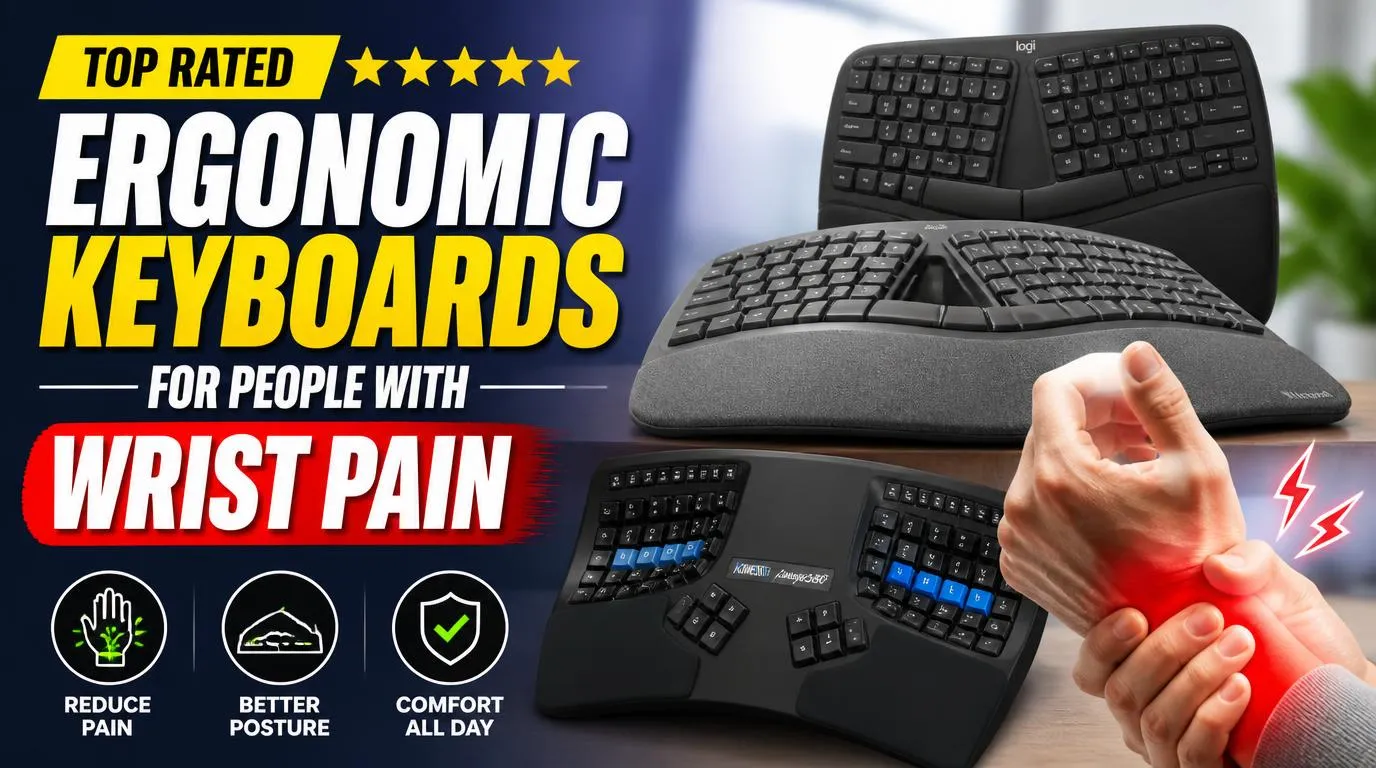
Top Rated Ergonomic Keyboards for People with Wrist Pain
My first look at the Kinesis Advantage360 Professional made me laugh out loud. It looks like a plastic alien prop from a cheap science fiction movie, featuring two deep bowl shaped wells where the keys sit. Putting your hands inside those wells instantly aligns your wrists into a neutral typing posture that stops you from twisting your forearms. The keys sit in vertical columns rather than staggered rows, which stops your fingers from reaching at awkward angles. By placing the modifiers and space keys on thumb clusters, it offloads massive strain from your weak pinky fingers.
This board is best for heavy typists who are already experiencing severe, chronic nerve pain or carpal tunnel symptoms. You do not just type on this device, you adapt to it over several frustrating weeks of re-learning how to find your letters. The biggest drawback is the brutal learning curve and the eye watering price tag. It will make you feel incredibly slow and incompetent for the first ten days, but your wrists will finally stop throbbing after long workdays. I suggest downloading a typing tutor program to speed up the transition period.
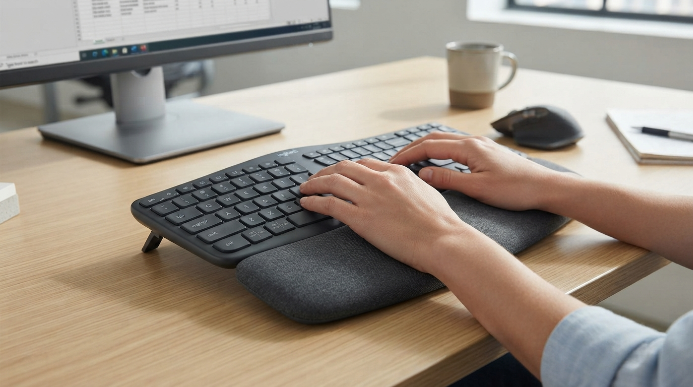
2. Logitech Ergo K860
Logitech created the perfect gateway drug for split keyboard skeptics. This wireless board features a gentle, wave like slope that splits the keys down the middle and lifts the center upward. It forces a more natural hand angle without forcing you to learn a completely new layout. The integrated, pillowy wrist rest supports your palms beautifully, especially when you use the small legs underneath the front edge to tilt the board downward. The curved keyframe naturally mimics the slope of your fingertips, which reduces muscle fatigue in your forearms over hours of continuous writing.
Office workers who want relief without sacrificing their productivity on day one will love this setup. It runs on AAA batteries that last for years, and it pairs seamlessly with multiple devices. However, the keys use rubber dome membrane switches which feel somewhat mushy and cheap compared to mechanical keys. You also cannot remove the massive wrist rest, so it takes up a permanent, giant chunk of your desk space. It is a fantastic entry point, but mechanical purists will likely find the typing feel a bit disappointing.
3. ZSA Moonlander Mark I
If you love customizing your tech, the ZSA Moonlander Mark I is the holy grail of split keyboards. This keyboard splits into two completely independent halves that you can position as wide apart as your shoulders allow. It features a brilliant thumb cluster that you can tilt up or down to fit the exact size of your hands. The build quality feels exceptionally premium, and the mechanical switches are hot-swappable, meaning you can swap them out without soldering. This flexibility lets you experiment with ultra-light linear switches to see what minimizes your joint fatigue.
This model fits tech enthusiasts and writers who want a highly tailored typing experience. It forces your shoulders back, which opens up your chest and reduces upper back strain along with wrist pain. The downside is that the ortholinear key layout requires a massive mental adjustment. Expect to type at fifteen words per minute during your first week before your muscle memory finally rewires itself. The configuration software is incredibly powerful, but it can feel overwhelming if you just want a simple plug and play device.
4. Microsoft Ergonomic Keyboard
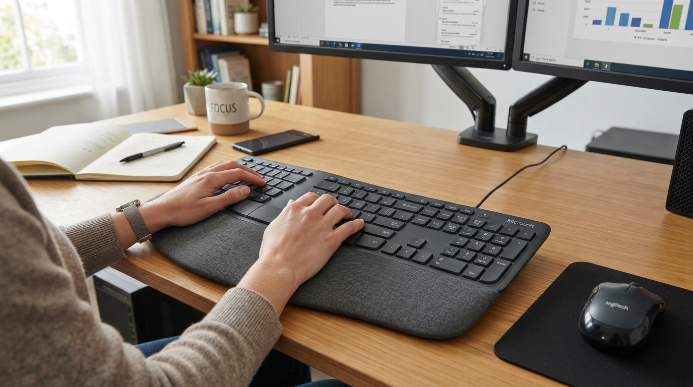
Finding the top rated ergonomic keyboards for people with wrist pain does not have to break the bank, and this model proves it. The Microsoft Ergonomic Keyboard is a wired giant that has saved millions of wrists over the last few decades. It uses a split, domed design that keeps your hands at a comfortable angle. The built-in fabric palm rest feels surprisingly nice, and the dedicated shortcut keys are highly convenient for daily office tasks. This layout is incredibly easy to master, requiring almost zero transition time for traditional typists.
Budget-conscious professionals who need immediate relief without spending hundreds of dollars will find this a perfect match. The sheer size of this thing is the primary drawback, as it eats up your desk and pushes your mouse far to the right. The membrane keys feel a bit stiff, and the wired USB connection feels slightly outdated in a world of clean, wireless setups. Despite those minor flaws, it remains a reliable workhorse that delivers excellent comfort for a fraction of the cost of mechanical alternatives.
5. Dygma Defy
For those who refuse to compromise on build quality, the Dygma Defy is a marvel of modern hardware engineering. This split mechanical keyboard features built-in palm pads, an integrated tenting kit that lets you angle the halves up to sixty degrees, and beautiful RGB backlighting. The aluminum body feels incredibly solid, and the custom thumb keys are positioned perfectly to take the strain off your weak pinky fingers. It also features built-in palm rests that keep your hands aligned with the keys to prevent hyperextension.
This option is best for software developers and gamers who spend ten plus hours at their desks every single day. The typing experience feels crisp and satisfying, with every key placed exactly where your fingers naturally rest. The downside is that the integrated tenting kit adds significant weight and bulk, making this keyboard almost impossible to travel with. It also costs a small fortune, making it a serious investment in your long-term joint health. If you have the budget, this board is a masterclass in premium ergonomic design.
6. Goldtouch GTN-0099 V2 Adjustable Keyboard
The Goldtouch GTN-0099 V2 takes a highly unique approach to joint relief by using a central locking ball joint. This clever mechanism lets you split and tent the keyboard at any angle from zero to thirty degrees, both horizontally and vertically. It does not require separate tenting legs or accessories, as the entire locking mechanism is built right into the middle of the frame. The typing layout is completely standard, so you will not have to waste weeks training your fingers to find the keys.
Mobile workers and hot-deskers who need a highly adjustable keyboard that can travel in a backpack will love this design. It folds relatively flat when unlocked, making it much more portable than most other ergonomic heavyweights. The trade-off is that the locking ball joint can wear down over years of heavy use, causing the halves to slip slightly during intense typing sessions. The membrane keys also feel somewhat mushy, lacking the crisp, clean response of a premium mechanical switch.

Selecting the Top Rated Ergonomic Keyboards for People with Wrist Pain
Selecting the right keyboard requires looking beyond flashy marketing terms and understanding your own body. When searching for the top rated ergonomic keyboards for people with wrist pain, you must look beyond flashy marketing terms and understand your own body. If you feel pain along the pinky side of your wrists, you likely need a split design that stops you from twisting your hands outward. Look for a board that offers a high tenting angle, which tilts the keyboard like a roof so your hands rest in a natural handshake position. People who suffer from finger strain should prioritize light mechanical switches over stiff, heavy membrane models.
Pay attention to your elbow height and desk distance when setting up your new gear. A keyboard that sits too high will still cause pain, regardless of how advanced its design is. Focus on models that let you tilt the front of the board downward, as this negative tilt keeps your wrists perfectly straight while you work. Taking the time to properly mount your keyboard on a tray can double the physical benefits of your best ergonomic typing setups.

Frequently Asked Questions
Do top rated ergonomic keyboards for people with wrist pain actually work?
Many people find significant relief within two weeks of switching to a split layout. These designs reduce forearm pronation and ulnar deviation, which are the primary physical causes of carpal tunnel syndrome. While they cannot replace medical treatment for severe injuries, they absolutely prevent daily strain from getting worse.
What is the difference between a split keyboard and a standard keyboard?
Standard models force your hands to turn inward and lay flat, which pinches the nerves in your wrists. Split designs break the keys into two sections, allowing your hands to rest at a natural angle. This simple separation keeps your shoulders relaxed and stops your wrists from twisting awkwardly.
How long does it take to get used to an ergonomic keyboard?
A standard split board like the Logitech takes about two days of typing to feel completely normal. Fully split or ortholinear mechanical models require a much bigger adjustment period. Expect to spend one to two weeks building up your typing speed before you feel fully comfortable.
Is a mechanical keyboard better for joint pain?
Mechanical switches are vastly superior because they require far less physical pressure to register a keystroke. You do not have to bottom out the key to make it type, which reduces the impact force on your fingertips and knuckles. They offer a much softer, more controlled typing experience.
Should I use a wrist rest while typing?
You should never actually rest your wrists directly on a pad while actively typing because it compresses the carpal tunnel. Instead, use palm rests to support the meaty base of your hands during brief pauses. Keep your wrists floating parallel to the desk while your fingers are moving.
Conclusion
Healing your hands starts with changing the tools you use every single day. Taking the plunge on a split keyboard might feel intimidating, but the relief is worth every moment of the initial adjustment phase. Which of these designs looks like the right fit for your desk?