No-Fail Antivirus Software for Small Business Owners: 2025
Consumer security apps rely entirely on individual employees remembering to run updates, which almost never happens during a busy workweek. Business endpoints face sophisticated threats like fileless malware, credential scrapers, and automated ransomware scripts that easily bypass basic free firewalls. Real enterprise protection provides centralized visibility, meaning you see every machine across your organization from a single web dashboard.
When you search for no-fail antivirus software for small business owners, the non-negotiable feature is automatic threat containment. If a laptop in your accounting department catches a nasty payload, the software must isolate that machine instantly from your shared local network. That single quarantine action saves your client database and preserves client trust. Modern business security also automates patch management, pushing silent background updates so your team never has to click a dismiss button while talking to a customer.
Bitdefender GravityZone Business Security
Bitdefender GravityZone earned its stellar reputation by consistently acing independent malware lab tests without slowing down older office hardware. The platform uses multi-layered machine learning to spot zero-day exploits before traditional signature files even exist. The lightweight agent installs smoothly across mixed Windows and macOS fleets, taking barely five minutes per workstation.
The management console delivers granular endpoint protection policies, letting you block unauthorized USB drives, restrict risky websites, and schedule silent scans overnight. It runs so quietly that your team will genuinely forget it exists until it blocks a dangerous phishing link.
The dashboard complexity remains the only real drawback. Solo founders without dedicated IT staff might feel slightly overwhelmed by the sheer volume of firewall rules and network filtering toggles during the initial setup phase.
SentinelOne Singularity Core
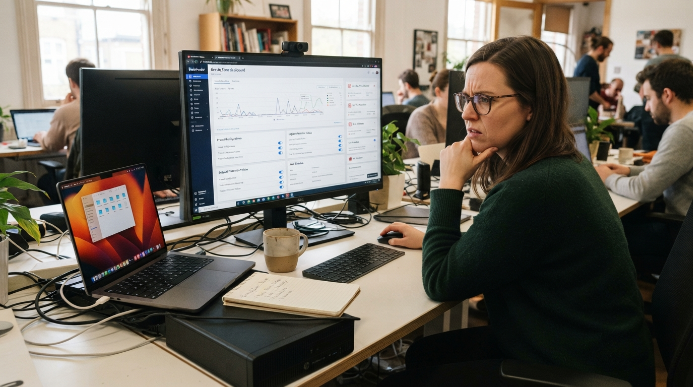
SentinelOne feels like hiring an autonomous security analyst who monitors your fleet twenty-four hours a day. The platform monitors real-time behavioral data on every machine, killing suspicious processes the second an app attempts unauthorized registry modifications. Its headline feature is one-click ransomware rollback, which uses local system shadow copies to restore compromised files to their pre-infected state in seconds.
If someone on your sales team opens a macro-laced spreadsheet, SentinelOne kills the malicious process tree instantly. You do not need to wipe the hard drive or spend hours restoring external cloud backups. The autonomous agent makes split-second decisions locally on the laptop, even when the employee is completely offline at an airport.
Pricing is the obvious sticking point. SentinelOne costs noticeably more per seat than standard antivirus packages, making it an investment better suited for businesses handling sensitive client financial records or proprietary intellectual property.
Microsoft Defender for Business
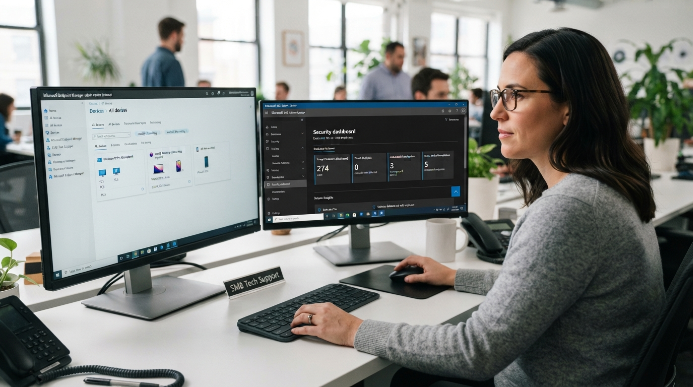
Microsoft built this dedicated tier specifically for operations with up to three hundred employees who already run on Microsoft 365. It strips away the enterprise bloat of Defender for Endpoint while keeping enterprise-grade threat analytics, automated investigation, and cross-device remediation. Setting up policies feels natural if your team already manages accounts through the Microsoft 365 Admin Center.
The agent lives natively inside Windows, so it requires zero additional software downloads on PC fleets. It monitors email attachments inside Outlook, scans OneDrive sync folders, and flags vulnerable software versions running across your network.
The primary catch involves non-Windows environments. Managing macOS and mobile devices through Intune works fine, but onboarding those machines requires extra configuration steps that feel far clunkier than the smooth PC experience.
Sophos Intercept X Essentials for Business
Sophos focuses heavily on preventing advanced exploits through deep learning neural networks. Rather than waiting to recognize known virus code, it targets the underlying techniques hackers use to hijack system memory, such as buffer overflows and credential harvesting. The software includes anti-exploit technology that halts attacks before a malicious script can execute payload files.
Their root-cause analysis tool provides a crystal-clear visual map of every blocked incident. You can trace an attack back to the exact phishing email, malicious URL, or infected file path where it entered your company network.
Keep in mind that the Essentials tier lacks detailed firewall controls and advanced web filtering. If your office needs strict content blocking to keep employees off social media, you must pay extra to upgrade to their Advanced tier.
Malwarebytes for Business
Malwarebytes excels at pure speed, simplicity, and surgical virus removal. While traditional antivirus software sometimes struggles to scrub stubborn adware, browser hijackers, and persistent rootkits, Malwarebytes removes lingering infections without breaking a sweat. It serves as an ideal cloud remediation tool for micro-businesses that want quick protection without endless configuration menus.
The cloud console lets you push scans, view infected machines, and whitelist internal company apps with just two clicks. It consumes minimal CPU resources, meaning older office desktops keep running smoothly during midday scans. IMO, this remains the easiest tool to hand off to an office manager with zero technical background.
However, it lacks the deep behavioral threat hunting and automated device containment found in heavier platforms like SentinelOne. It reacts wonderfully to threats, but it provides less proactive structural defense.

Key Features to Demand Before Buying Business Antivirus
Choosing no-fail antivirus software for small business owners comes down to picking tools that respect your team’s daily productivity. Running a business leaves zero hours for babysitting false alarms or rebooting crashed machines. Always verify that your prospective security vendor checks off these essential capabilities:
- A centralized cloud console that lets you manage all employee devices remotely from any web browser.
- Automated isolation tools that instantly sever an infected computer from your internal office network.
- Behavior-based heuristic detection rather than outdated, signature-only file scanning.
- Comprehensive anti-ransomware defenses that include automatic local data restoration.
- Lightweight background agents that avoid hogging system memory during customer video calls.
Prioritize vendor support quality as well. When a ransomware alert flashes on an employee screen at four in the afternoon on a Friday, you want a live chat technician on the line within minutes, not a slow email ticketing queue.
Frequently Asked Questions
How does small business antivirus differ from personal antivirus suites?
Consumer antivirus runs independently on each computer, leaving security updates and scan schedules to individual employees. Business antivirus connects every device to a central cloud dashboard. This setup gives owners complete visibility, lets administrators enforce company-wide security rules, and allows instant device isolation during active network attacks.
Which no-fail antivirus software for small business owners works best on a tiny budget?
Malwarebytes for Business and Microsoft Defender for Business offer the best balance of affordability and robust protection. Microsoft Defender provides incredible value if your company already uses Microsoft 365 licenses, while Malwarebytes keeps subscription costs low while delivering top-tier malware cleanup without requiring an IT specialist.
Will business antivirus slow down older office computers?
Modern business endpoint solutions operate with a remarkably small footprint. Cloud-native tools like Bitdefender GravityZone offload heavy threat analysis to remote servers rather than choking local system processors. You will notice virtually no slowdown during standard daily operations like web browsing, spreadsheet work, and video meetings.
Do companies using Google Workspace still need endpoint antivirus?
Google Workspace protects cloud emails and shared drive files, but it cannot safeguard the physical computer accessing them. If an employee downloads an infected file from a thumb drive or connects to an unsecure coffee shop Wi-Fi network, endpoint antivirus stops malware from capturing keystrokes or stealing local session cookies.
Is automated ransomware rollback genuinely reliable during an attack?
Autonomous rollback tools from vendors like SentinelOne work remarkably well against standard ransomware variants. By monitoring process behavior and leveraging protected local shadow copies, the software restores modified files within seconds. However, you should still maintain regular, disconnected off-site backups as a secondary safety net.
Conclusion
Protecting your business data does not require enterprise-scale budgets or a full-time cybersecurity department. Pick a tool that runs quietly, stops zero-day threats automatically, and lets you manage everything from a clean dashboard. Which antivirus setup are you currently trusting with your company data?